Which AI can each team use?
Approve the models each team and project may use, AI company by AI company. Anything else is blocked. New models appear as soon as AI companies release them, ready for you to approve.
Intramura is a managed AI gateway inside your own cloud. Every team gets new models and agent tools as they ship, every request gets an owner and a cost, and your prompts, documents and keys never reach us.
Managed in your cloud from $1,500 a month. No per-request fees. See pricing
Plus Mistral, DeepSeek, xAI, Groq and any other AI company or model with a compatible API, including models you run yourself.
Runs on Kubernetes, AWS ECS or a single Linux machine, in AWS, Google Cloud, Azure, your own servers or with any VPS provider.
74% of CFOs say pausing AI usage after an overrun takes days to weeks.
Workers at over 90% of companies use personal AI accounts; only 40% of companies have bought official ones.
The average company already uses 11 AI models, and expects 16.
Approve the models each team and project may use, AI company by AI company. Anything else is blocked. New models appear as soon as AI companies release them, ready for you to approve.
New models appear here as AI companies release them.
Set budgets for the company, teams, people, projects and agents. A hard stop holds a request before it reaches the AI company. A warning lets it through and tells the budget owner.
Request stopped: the contract review agent reached its daily limit.
Agents reach company tools through one door in your cloud. You choose what each agent may do, and every call is on record.
CRM
Payments
Every call goes through your gateway and is on record.
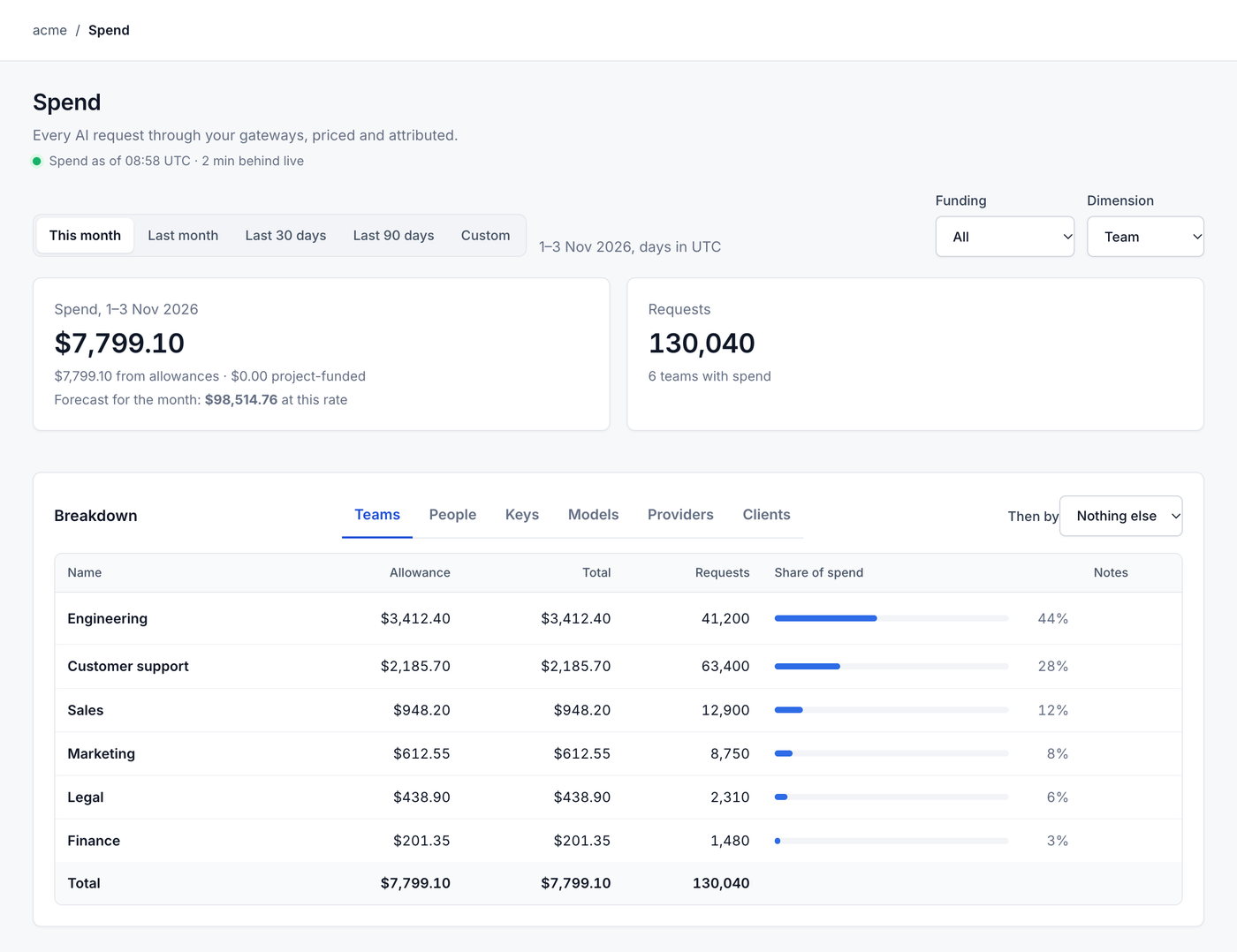
Every request leaves a record: who, which model, what it cost and how it went, including the backup that answered when an AI company failed. The prompt itself never reaches us.
Attempts
Prompt and answerNever sent to Intramura
Panels drawn with illustrative data.
Apps and agents call one address in your cloud. Switch AI company without touching them.
When an AI company fails, requests move to another one. Staff don't notice.
Identical requests are answered from a cache in your cloud, at no extra cost.
Where a cheaper model or a cache would do the same job, drawn from your own usage.
Assistants and agents share what your company has taught them, kept in your cloud.
Skills are versioned and checked in one place, and reach only the teams you choose.
We set up and run your gateway, but we're never in the middle of it.
What your staff and agents ask the AI, and what it answers, travel only between your cloud and the AI companies you choose. They never reach us, and nor do the keys to your AI accounts.
Names and emails in your staff list stay in your cloud. We see an ID for each person, and your team still sees names.
Nothing of ours sits between your staff and the AI. If we go offline, your gateway keeps working.
The access you approve is for running the gateway (installing, upgrading and monitoring it), never for reading requests. For support, you grant time-limited, read-only access.
Usage records and your console's data are kept in your region.
A full audit log, usage records in the monitoring tools you already run, and a security pack on request.
From $1,500 a month for a managed gateway in your cloud, by gateway installation and by person who uses AI in the month. There are no per-request, per-token or percentage-of-spend fees, and you keep paying your AI companies and your cloud provider directly. Ask us for a quote.
No. The gateway runs in your cloud account, and requests travel from your applications to the model providers you enable. The access you approve is for running the gateway, never for reading requests or answers.
Somewhere to run it: a cloud account (AWS, Azure or Google Cloud), your own servers or a VPS, and someone who can approve our access. We set it up within your network and security rules and run it from there.
The gateway doesn't switch off. It moves to the free plan: it keeps serving your requests, security updates stay available for you to apply, and within the free plan's limits your keys, approved models, routing and a company-wide spending cap keep working. What stops is what you paid us for: us running it, budgets per team and project, single sign-on and staff list sync. Your apps call standard AI APIs at an address in your own cloud, so moving them to another gateway, or straight to the AI companies, is a configuration change, not a rewrite. If you run more than one installation, you choose which one moves to the free plan; the others keep serving on their last settings, without updates. The free plan's user limit applies, and you choose which people keep access.
Tell us how your teams use AI today and which cloud you run on. We will show you what spend control looks like in your own account.